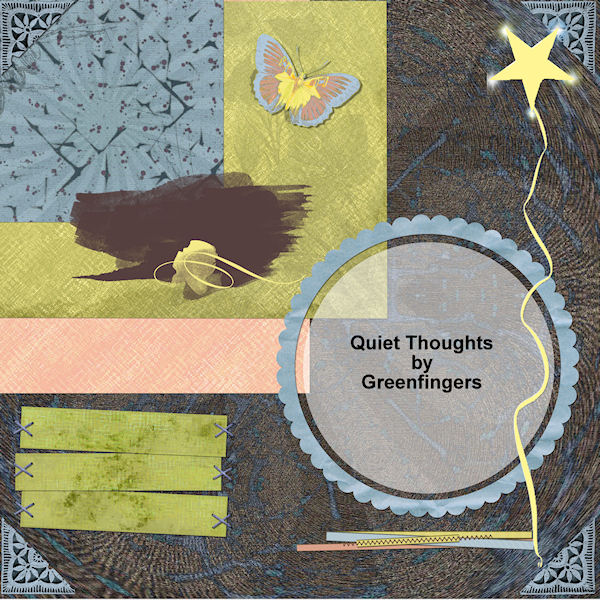
It's a new little scrapping kit for you at 300ppi.
Here is the download LINK
Showing posts with label Scrapping. Show all posts
Sunday, 5 June 2011
Tuesday, 15 February 2011
Sunday, 6 February 2011
Friday, 31 December 2010
Lace Pattern Freebie
I used some patterns from "Dover" to make 3 little lacy pattern files. They come as 3 .pngs and are white on transparent background. Use them as you wish- for personal or CU. I have included brief instructions of how they can be use in PSP. PS people will have to do their homework!
Here is a sample page of them:
Download
Here is a sample page of them:
Download
Saturday, 4 December 2010
Wednesday, 1 December 2010
Worldwide Christmas Scrapbooking Freebies
Today is the day! Hope you all have fun chasing the goodies.
Here is my kit: "Christmas Joy"
I have gone for quiet colours this year by way of a change.
Hope you all have a wonderful Christmas, and thanks again to Antoinette for organising this popular event.
Download
If you are a book lover, check down the page to 6th November for freebie kit with a book theme.
Here is my kit: "Christmas Joy"
I have gone for quiet colours this year by way of a change.
Hope you all have a wonderful Christmas, and thanks again to Antoinette for organising this popular event.
Download
If you are a book lover, check down the page to 6th November for freebie kit with a book theme.
Wednesday, 24 November 2010
Christmas is coming
I'm joining in Antoinette's blog train "Christmas Scrapping Freebies" again. She puts in a lot of effort so I wanted to support her. This year, I found it really hard to think of anything different, but have come up with something with quiet colours called "Christmas Joy". There is word art, stamp frames, music notes etc. I'm sending her my preview now.
Sunday, 7 November 2010
Freebie, I Love Books
Sorry to those who tried to get this kit yesterday. I am guessing 4shared was overwhelmed.
Please go back to yesterday's post for a link to the new upload of "I Love Books"
Saturday, 6 November 2010
I Love Books- a new freebie
A new kit! Once again, I have collaborated with Tora- she produced the lovely word art. I'm really not much good at that. The kit has some grungy pale backgrounds "marbled" papers, leather etc. I hope you like it.
Sunday, 22 August 2010
Monday, 9 August 2010
Freebie from the jungle.
Here is a freebie kit for you (300ppi) which I made in collaboration with Tora. There are a couple of overlays included, which are not shown on the preview.
Thursday, 22 July 2010
Outdoors
Here is a new little kit for you. It is at 200ppi, and just over 6mb, so is suitable for folk on slow connections.
Here is the link: http://www.4shared.com/file/vZsSOybf/Outdoors.html
Monday, 14 June 2010
Freebie
At long last, I have got around to making a kit "My Little House".
Here is the download link:
Download from 4 shared
Here is the download link:
Download from 4 shared
Wednesday, 24 February 2010
Leather Textures
Monday, 1 February 2010
Don't Miss Out
Isabella has a really beautiful kit available for free "Hey Mr Groundhog". Gentle colours and interesting elements make it very user friendly kit. The link is at Lotsofprettythings and is part of a "Stuff to Scrap" Blog Train- starting today.
Sunday, 24 January 2010
Challenge
A new challenge has just been posted at Sunday Scrappers
It has a pop art theme and there will be a posting bonus.
Saturday, 23 January 2010
Buttons for you
I have scanned some buttons for the course I'm doing. They are mostly from my button box with buttons from about 1920s onwards, one was made digitally.
Monday, 11 January 2010
Rolled Background Preview
Instructions for “Rolled Paper Preview”, using PSP.
I was asked yesterday about how backgrounds can be presented with a "rolled" look.
Hoefully, you can follow this in other programs. This is how I do it:
Open a new file at your usual page size e.g.12x12” @300ppi.
Fill with a black to transparent gradient (with the black running vertically)
With your pick tool, drag the fill to the centre of your page keeping the black at the page edge. Duplicate the layer and mirror the new layer. “Merge down” the upper layer. You now have black at each edge and transparency in the middle.
However many paper rolls you want, divide 12” by that number. Let’s say you want to display four backgrounds. Each roll would need to be 3” wide. Again with the pick tool, drag the gradient across the page until it fills 3”.
Select the blank part of the page (selection tool) and then invert the selection. Edit, copy, then edit paste “as new selection”. Repeat across the page. Merge layers if you need to, but in PSP using “paste as new selection” you will not need to.
When using this gradient, have it as the top layer, with your backgrounds stacked below. Taking the appropriate selections from the gradient page, select each background layer in turn, deleting the unwanted parts.
You may need to lower the opacity of the gradient and try “overlay” and “hard light” to see which gives the better result.
Friday, 8 January 2010
Thursday, 7 January 2010
Green Woodpecker
I get great pleasure from watching birds. Today a green woodpecker came to the garden. From time to time it searches in the same small spot for ants, but this morning he was unlucky! It is a scraplift of work by Sailing Sue, who is a real expert on bird photography and has some amazing LOs. Here is her gallery.
Subscribe to:
Posts (Atom)


.jpg)


.jpg)
.jpg)
.jpg)